Top 5 AI Coding Tools in 2026 Compared
Cursor, GitHub Copilot, Claude Code, Windsurf, Zed AI — how the major AI coding tools differ and which one fits your workflow.
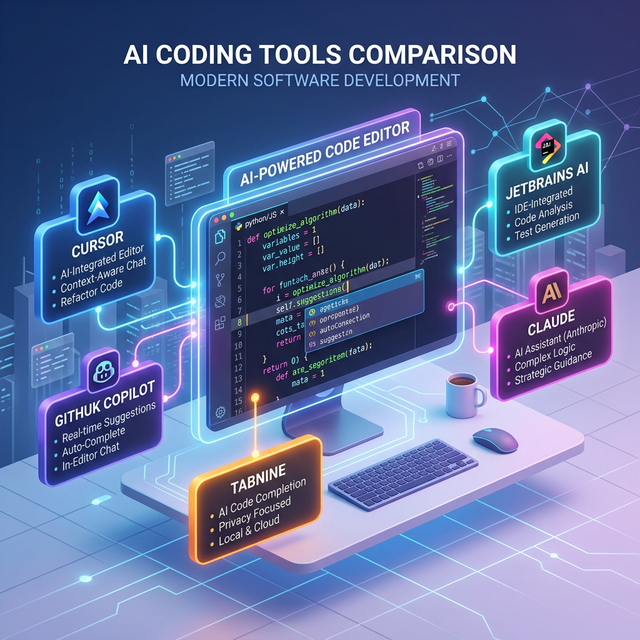
Two years ago, "AI coding tool" meant Copilot suggesting the next line and you hitting Tab. Occasionally it'd generate a whole function and you'd think that was impressive. The landscape looks completely different now. AI reads your entire codebase, modifies multiple files at once, and runs commands in the terminal.
The tool list has grown too: Cursor, Copilot, Claude Code, Windsurf, Zed AI. Each takes a different approach, and figuring out which fits you is less about "which is best" and more about "how are they different."
The Big Picture — Two Camps
AI coding tools split into IDE-integrated and terminal agent categories. Understanding this distinction first makes the individual tool comparisons more useful.
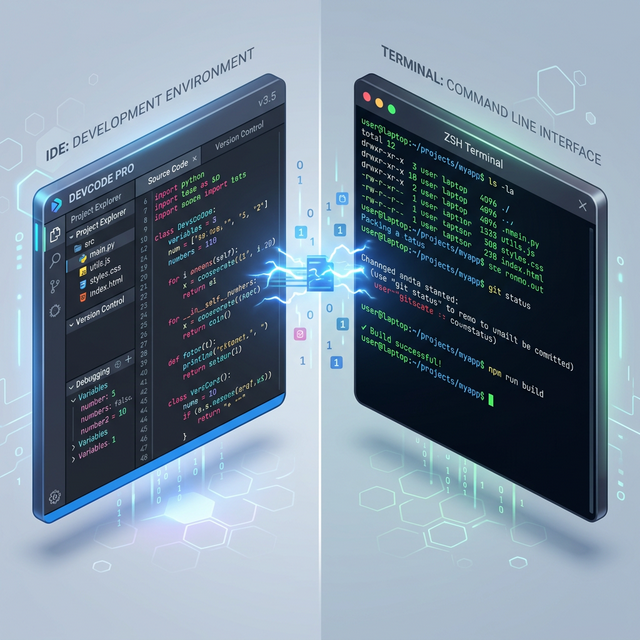
IDE-integrated tools work inside your editor. Chat panel on the side, inline code edits, autocomplete suggestions — all without leaving your familiar environment. Cursor, Copilot, Windsurf, and Zed AI fall here.
Terminal agent tools operate from the CLI. You give instructions in natural language, and the AI finds files, reads code, makes edits, and runs tests on its own. Claude Code is the prime example. You still use an editor, but the primary AI interaction happens in the terminal.
Which style suits you depends on how you work. If you want to look at code while referencing AI suggestions, go IDE-integrated. If you'd rather delegate a task wholesale and review the results, terminal agents are your thing.
Tool Breakdown
Cursor
A VS Code fork purpose-built for AI. It looks and feels almost identical to VS Code, and most extensions are compatible. Switching cost from VS Code is basically zero.
The standout feature is Composer — multi-file editing powered by AI. "Refactor this component and update the related tests" will touch several files at once. Compared to single-file autocomplete, it's a different league entirely.
Model flexibility is a plus. You can pick from Claude Sonnet 4.6, GPT-5, Gemini Pro, and more, switching models based on the task at hand.
Pricing is $20/month for Pro. You get a $20 credit pool — tab completions and Auto mode are effectively unlimited, while premium model requests consume credits based on complexity. Heavy users sometimes burn through credits mid-month, so usage awareness matters. There's also a Pro+ tier at $60/month.
GitHub Copilot
The original AI coding tool. Its biggest differentiator is that it works as a plugin for existing editors — VS Code, JetBrains, Neovim, and more. No need to switch editors; you add AI on top of what you already use.
Autocomplete remains solid, especially for repetitive patterns — writing similar functions, filling in test cases. Copilot Chat enables conversational coding, and the agent mode now supports multi-file work and autonomous coding tasks. It scored 56.0% on SWE-bench Verified, showing meaningful progress in automation capability.
Enterprise features matter too. Direct GitHub integration means PR summaries, code review assistance, and issue-based code generation flow naturally. With 4.7 million paid subscribers, the ecosystem keeps growing. For companies with security policies or compliance requirements, Copilot Business/Enterprise is sometimes the only viable option.
$10/month for individuals, $19/month for business. Good stability-to-price ratio, which is why many developers keep it as their default.
Claude Code
Fundamentally different from the others. It's a terminal-based AI agent, not an editor plugin.
You run claude in your terminal, give instructions in natural language, and the AI navigates your codebase, reads files, makes changes, and even handles git commits. You approve actions along the way. Tell it "fix all type errors in this project" and it genuinely goes through the entire project fixing them.
This works because of Claude Opus 4.6's 1M token context window and strong code comprehension. With an 80.8% score on SWE-bench Verified, the model can hold dozens of files in context while maintaining coherence — which is where large-scale refactoring shines.
The downside is the entry barrier. It's terminal-based, so if you're used to GUIs, there's an adjustment period. And since the AI directly modifies files, not having git version control is risky. Pricing includes Pro ($20/month), Max ($100+/month), and a usage-based API option.
Windsurf
An AI editor from Codeium. Similar positioning to Cursor, with Cascade as the key differentiator. Cascade chains code edits → terminal commands → result analysis in a continuous flow, all within the editor.
The difference from Cursor is subtle. Windsurf leans harder into automating the agent workflow with minimal user intervention. Some people find this convenient; others feel they're giving up too much control.
The free tier is generous enough that trying it out has the lowest barrier of any tool on this list.
Zed AI
The high-performance editor Zed (built in Rust) with AI features integrated. Zed's core selling point is speed — large projects run without lag.
AI features include an inline assistant and chat panel, supporting Claude, GPT, and other models. The AI capabilities aren't as feature-rich as Cursor or Copilot yet, but the editor's raw performance attracts developers who want a snappy environment for AI-assisted coding.
The trade-off: you leave the VS Code ecosystem behind. Losing access to familiar extensions is a bigger cost than it sounds.
Side-by-Side Comparison
| Cursor | Copilot | Claude Code | Windsurf | Zed AI | |
|---|---|---|---|---|---|
| Approach | AI editor | Plugin | Terminal agent | AI editor | AI editor |
| Base | VS Code fork | Existing editors | CLI | VS Code fork | Custom editor |
| Multi-file | Strong | Capable | Very strong | Strong | Basic |
| Autocomplete | Good | Excellent | None | Good | Good |
| Price | $20/mo | $10/mo | $17/mo+ | Free–$15/mo | Free–$50/mo |
Which One Should You Pick?
If you can only choose one, it depends on your situation.
"I don't want to change my setup, just add AI" → Copilot. Whether you're on JetBrains, VS Code, or Neovim, install the plugin and go.
"I'm ready to reorganize my workflow around AI" → Cursor. If you're already on VS Code, the transition is seamless and the AI-first experience is hard to beat.
"I want to hand off large tasks to AI entirely" → Claude Code. Refactoring, migrations, and large-scale bug fixes are where it excels.
These tools compete with each other but also complement each other. Plenty of developers use Copilot for day-to-day autocomplete while switching to Claude Code for bigger tasks.
What matters more than tool choice is learning how to collaborate with AI effectively. The productivity gap between someone who knows how to give AI good instructions and someone who doesn't is larger than the gap between any two tools. Tools change — that skill stays with you.